You have no items in your shopping cart.



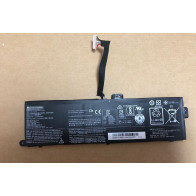
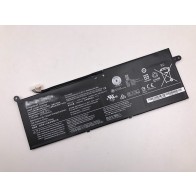
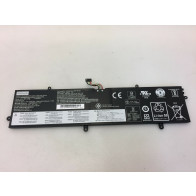
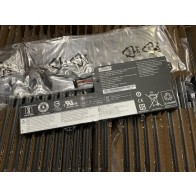
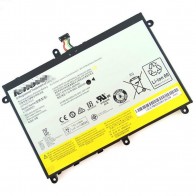
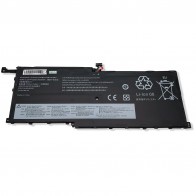
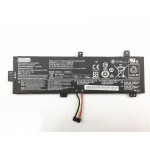
Replacement Lenovo ThinkBook 14p G2 ACH 20YN0020US Battery
61Wh 15.4V Replacement Lenovo ThinkBook 14p G2 ACH 20YN0020US Battery. Free Shipping!
Availability: In stock
$81.32
Details
Details
Note : 1. 14.4V and 14.8V are compatible, they are in common use.
2. 10.8V and 11.1V are compatible, they are in common use.
3. 7.2V and 7.4V are compatible, they are in common use.
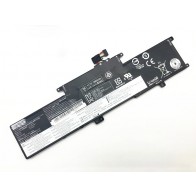
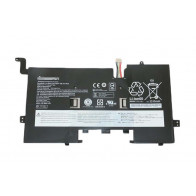
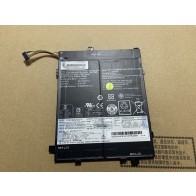
This Lenovo ThinkBook 14p G2 ACH 20YN0020US Battery is made from high grade cells and highest quality parts. This Replacement Battery is 100 percent comparable to original battery in all terms including its size, appearance and most important quality. Each Battery has to pass strict quality control procedures including filtration and safety testing of voltage, capacity and battery core (body). Each battery also passes necessary authentication certifications like ce, rohs etc. Before leaving the factory, so you can be rest assured for its quality, durability and performance. Please note that all images are indicative, actual product label may vary. Battery part no./Model may not be printed on label. In case of doubt, the request can be raised at the company's customer support.
Try these tips to extend your battery life:
- LCD Screen and other unnecessary accessories will cut down battery life,So Turn them off when not in use.
- For the typical user, noticeable reduction of Battery in run time generally will be observed after 18 to 24 months. For a power user, reduction in run time generally may be experienced prior to 18 months.
- Laptop Batteries Can't be overcharged, the battery is designed to stop using the charger when it reaches full charge.
- Choose the Right Power Setting In the Control Panel go to "Power Options". In the "Power schemes" drop down list, be sure to select either the "Portable/Laptop" or "Max Battery" option.
- Wait for the Battery to fully charge. When the battery is charging,you'd better not use the laptop,because it will recharge slower. Be careful not to let your Laptop overheat,which is extremely harmful for your batteries.One common situation that happens is packing a running laptop into a backpack or briefcase. If the laptop fails to go to sleep, then the laptop can get crazy hot in an enclosed space. You can almost smell the loss of battery longevity.
- Check to see if your Lenovo laptop has the optimum amount of RAM,RAM enables your system to run program instructions using the computer's memory instead of its hard disk drive (HDD), where it stores data. Refreshing the RAM requires less power than spinning the hard drive, so having the correct amount of RAM means less drain on your laptop battery.
- Playing a video on a laptop's DVD drive eats battery for power. Video playback from a hard drive, however, is less taxing. So for your next long flight, consider downloading a few movies or TV shows to your hard drive.
Warranty & Return
1. We provide 60 days money back on non-defective, undamaged, unused and resalable products. Product is not eligible for refund after the 30-day refund period has expired.
2. Our warranty does not extended to any products that are physically damaged or that are not under normal operating conditions as a result of misuse or improper installation on the buyer/user's part.
3. For all returned products, Please contact us for the returning address.
4. In all cases, buyers pay shipping fees at their own cost to return products for exchange or refund. We will be responsible for the postage of replacements. Refund will be made upon receipt of the returned item.
Related Products
Additional Info
Additional Info
| Battery Type | Li-ion |
|---|---|
| Battery Volt | 15.44V |
| Battery Capacity | 61Wh 3950mAh |
| Compatible Part Numbers: | L20B4PD2, L20C4PD2, L20D4PD2, SB11C04258, SB11C04259 |
| Compatible Models: | ThinkBook 14p G2 ACH 20YN000LUS, ThinkBook 14p G2 ACH 20YN001DKR, ThinkBook 14p G2 ACH 20YN001VKR, ThinkBook 14p G2 ACH 20YN000DSB, ThinkBook 14p G2 ACH 20YN000YAR, ThinkBook 14p G2 ACH 20YN001NSB, ThinkBook 14p G2 ACH 20YN0027PH, ThinkBook 14p G2 ACH 20YN0003KR, ThinkBook 14p G2 ACH 20YN000NUS, ThinkBook 14p G2 ACH 20YN001FVN, ThinkBook 14p G2 ACH 20YN001XUS, ThinkBook 14p G2 ACH 20YN000FTA, ThinkBook 14p G2 ACH 20YN0012KR, ThinkBook 14p G2 ACH 20YN001QTA, ThinkBook 14p G2 ACH 20YN0007KR, ThinkBook 14p G2 ACH 20YN000RKR, ThinkBook 14p G2 ACH 20YN001HVN, ThinkBook 14p G2 ACH 20YN0020US, ThinkBook 14p G2 ACH 20YN000HTW, ThinkBook 14p G2 ACH 20YN0016US, ThinkBook 14p G2 ACH 20YN001STW, ThinkBook 14p G2 ACH 20YN000AHH, ThinkBook 14p G2 ACH 20YN000USB, ThinkBook 14p G2 ACH 20YN001KHH, ThinkBook 14p G2 ACH 20YN0023AU, ThinkBook 14p G2 ACH 20YN000KUS, ThinkBook 14p G2 ACH 20YN001CGJ, ThinkBook 14p G2 ACH 20YN001UKR, ThinkBook 14p G2 ACH 20YN000CMJ, ThinkBook 14p G2 ACH 20YN000WTW, ThinkBook 14p G2 ACH 20YN001MMJ, ThinkBook 14p G2 ACH 20YN0026PH, ThinkBook 14p G2 ACH 20YN000MUS, ThinkBook 14p G2 ACH 20YN001EKR, ThinkBook 14p G2 ACH 20YN001WUS, ThinkBook 14p G2 ACH 20YN000ESB, ThinkBook 14p G2 ACH 20YN0010LM, ThinkBook 14p G2 ACH 20YN001PSB, ThinkBook 14p G2 ACH 20YN0028PH, ThinkBook 14p G2 ACH 20YN0005MJ, ThinkBook 14p G2 ACH 20YN000QKR, ThinkBook 14p G2 ACH 20YN001GVN, ThinkBook 14p G2 ACH 20YN001YUS, ThinkBook 14p G2 ACH 20YN000GTA, ThinkBook 14p G2 ACH 20YN0013KR, ThinkBook 14p G2 ACH 20YN001RTA, ThinkBook 14p G2 ACH 20YN0009HH, ThinkBook 14p G2 ACH 20YN000TTW, ThinkBook 14p G2 ACH 20YN001JHH, ThinkBook 14p G2 ACH 20YN0021AU, ThinkBook 14p G2 ACH 20YN000JTW, ThinkBook 14p G2 ACH 20YN0017US, ThinkBook 14p G2 ACH 20YN001TTW, ThinkBook 14p G2 ACH 20YN000BMJ, ThinkBook 14p G2 ACH 20YN000VSB, ThinkBook 14p G2 ACH 20YN001LMJ, ThinkBook 14p G2 ACH 20YN0024US |
Reviews
Tags
You may also be interested in the following product(s)